
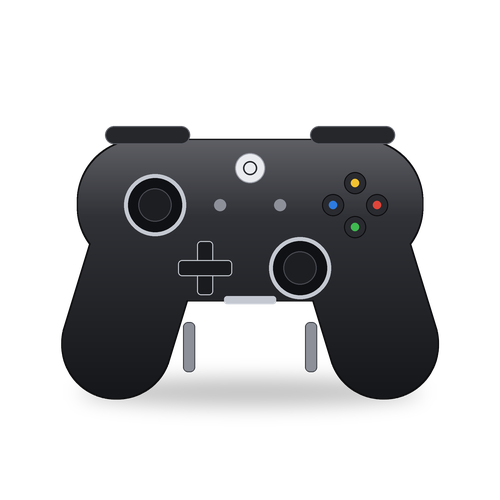
Xbox Elite Wireless Controller Series 2 Repair
The Xbox Elite Wireless Controller Series 2 has adjustable-tension thumbsticks, interchangeable thumbsticks and D-pads, back paddles, shorter hair trigger locks and a rechargeable battery that Microsoft rates for up to 40 hours.
Looking for an Xbox repair shop near you for your Xbox Elite Wireless Controller Series 2? Your search ends here. The tech repair experts at Repair My Phone Today can fix it for you, whether it has stick drift, buttons that stick or do not register, a battery that no longer holds its charge or a loose or damaged charging port. We repair all Xbox controllers, even if you bought yours elsewhere.
We use quality parts, offer a no fix, no fee policy and back our repairs with a lifetime warranty*. Many repairs are completed on the same day*, and you can walk in, post it to us or ask about our pick-up options.
Why we're your best choice for Xbox Elite Wireless Controller Series 2 repair
Repair My Phone Today specialises in fast repairs for laptops, PCs, smartphones, tablets, games consoles and other gadgets, with 4 repair stores in Oxford and Bicester: 7 New Inn Hall St, 99 St Aldates and 207 Banbury Road in Oxford, and 25 Market Square in Bicester. We repair every brand, even if you bought your Xbox Elite Wireless Controller Series 2 elsewhere, and all our Xbox repairs are backed by a lifetime warranty*.
- No fix, no fee
- Lifetime warranty*
- Quality parts
- Quick service
- Years of experience
Xbox Elite Wireless Controller Series 2 repair services
The list below is a quick summary of the repair services we carry out on the Xbox Elite Wireless Controller Series 2:
- Xbox Elite Wireless Controller Series 2 stick drift repair
- Button and trigger repair
- Battery replacement
- Charging port repair
- Connection and pairing faults
- Shell and grip replacement
- Liquid and water damage repair
Xbox Elite Wireless Controller Series 2 stick drift
If the character or cursor moves on its own, the stick feels loose or gritty, or it will not return to centre, the analogue stick module has usually worn out. The Elite Series 2 has adjustable-tension thumbsticks, but the stick module underneath can still wear out. We replace the stick module and test full movement before it goes back to you.
Xbox Elite Wireless Controller Series 2 buttons and triggers
The Elite Series 2 has back paddles, shorter hair trigger locks and an interchangeable D-pad, which can wear or loosen over time. If a button sticks, does not register or feels mushy, or a trigger no longer returns, the button membrane, switch or trigger mechanism can be replaced. We test every input on the Xbox Elite Wireless Controller Series 2 before it goes back to you.
Xbox Elite Wireless Controller Series 2 battery
The Elite Series 2 has a built-in rechargeable battery that Microsoft rates for up to 40 hours. If the battery no longer lasts a gaming session or the controller loses power when unplugged, we test the battery and the charging circuit and fit a quality replacement.
Xbox Elite Wireless Controller Series 2 charging port
If the Xbox Elite Wireless Controller Series 2 only charges when the cable is held at an angle, or does not charge at all, the USB-C port has usually come loose or broken away from the board. We replace the port and test charging and the wired connection.
Xbox Elite Wireless Controller Series 2 connection and pairing problems
The Elite Series 2 connects to the Xbox by Xbox Wireless or Bluetooth, or by USB cable. If the Xbox Elite Wireless Controller Series 2 disconnects, lags or will not pair, the fault could be the wireless module, the battery or the software, and we test each in turn.
Xbox Elite Wireless Controller Series 2 damage and wear
The paddles, thumbsticks, D-pad, grips and shell can be damaged by drops and heavy use. We replace cracked shells, worn grips and damaged parts and clean the inside while the controller is open.
Xbox Elite Wireless Controller Series 2 liquid damage
If a drink has been spilled on the Xbox Elite Wireless Controller Series 2, remove the batteries or switch it off straight away and do not charge it. We open the controller, clean the board and contacts, check for corrosion and test every button, stick and trigger before it goes back to you.
Our team is ready to answer any questions about your Xbox Elite Wireless Controller Series 2. Call us on +44 1865 655261 or email [email protected], or contact the Repair My Phone Today technicians and you will hear back as soon as we receive your query.
Near Me
Looking For A Fast & Reliable Repair Service
Get instant repair prices in just a few clicks
Disclaimer and Privacy Policy© 2026 Repair My Phone Today. All Rights Reserved | Repair My Phone Today Stores