
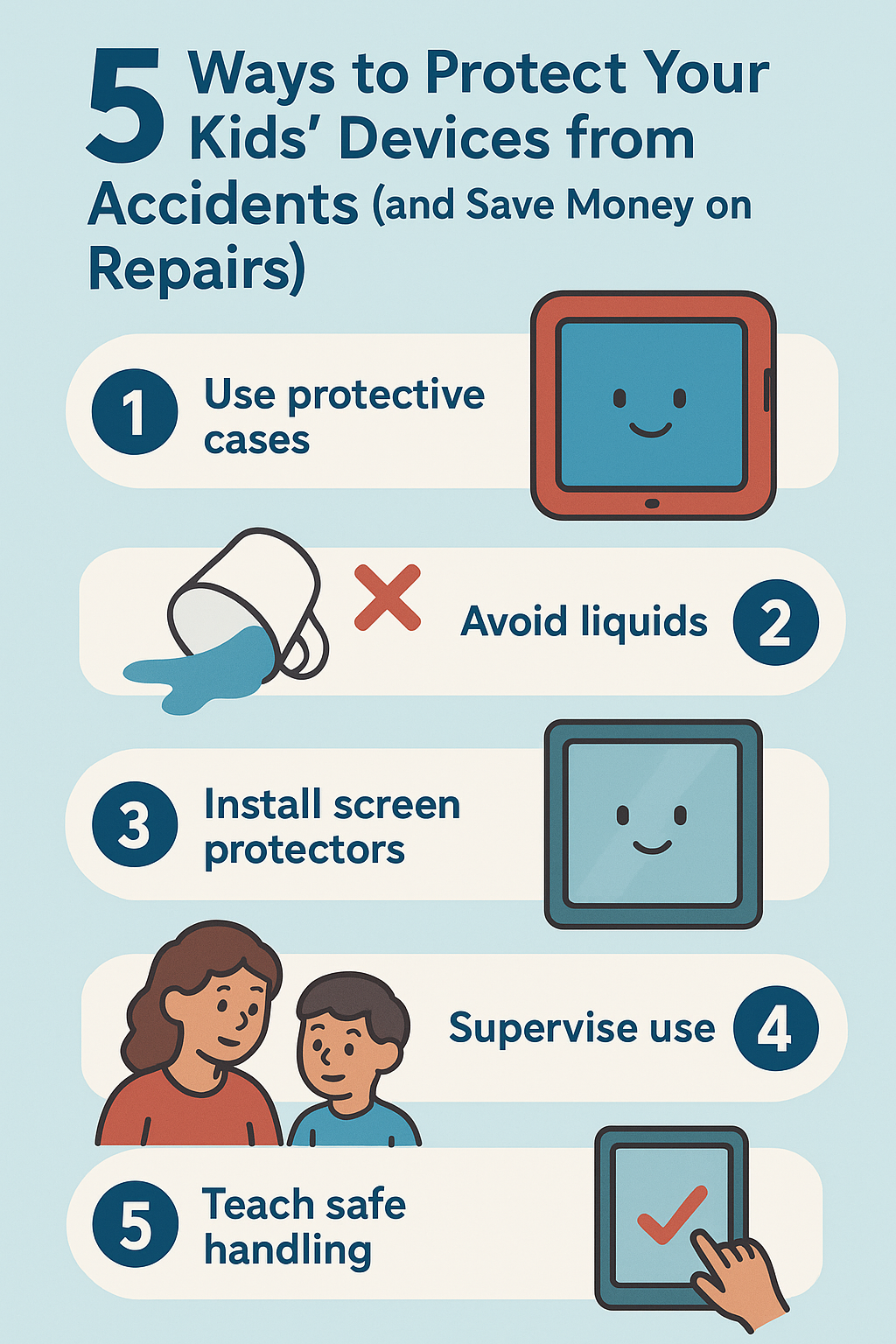

Kids and Devices: A Costly Combination
Your child drops their iPad for the third time this year. Or their phone screen cracks during PE class. Or juice spills across their laptop keyboard during homework. Again. If you're a parent in Oxford or Bicester, these scenarios aren't hypothetical—they're expensive reality.
Modern children depend on devices for education, communication, and entertainment. Schools assign homework on tablets, friends connect through phones, and learning happens on laptops. Devices aren't optional luxuries anymore—they're essential tools for childhood and education. But children and expensive electronics make a financially dangerous combination.
The statistics are sobering: the average child damages their device 2-3 times before age 16. Screen repairs cost £80-£180. Battery replacements run £70-£110. Liquid damage repairs range from £60-£150. Over a child's school years, device damage can easily cost families £500-£1,200 or more—money that could fund family holidays, educational activities, or savings.
But here's the good news: most device damage is preventable. With the right protective measures, smart habits, and proactive strategies, families can dramatically reduce device damage and repair costs. The key isn't keeping devices away from children—that's neither practical nor beneficial in today's digital world. The key is protecting devices properly while teaching children responsible device care.
This guide provides practical, proven strategies Oxford and Bicester families use to protect children's devices from accidents, reduce repair costs, and teach kids responsible technology habits. You'll learn which protective accessories actually work, how to create device-safe home environments, what habits prevent most damage, and how local repair options help when accidents do happen. Because protecting your family's devices isn't just about saving money—it's about reducing stress and teaching valuable responsibility lessons.
1. Invest in Quality Protective Cases and Screen Protectors
The single most effective device protection strategy is also the simplest: quality protective cases and screen protectors. These accessories prevent 70-80% of device damage when chosen and used properly.
Choose the Right Case for Your Child's Age and Usage
Not all cases provide equal protection. Match case type to your child's age, responsibility level, and device usage patterns.
For younger children (ages 5-10):
-
Heavy-duty foam cases: Thick, shock-absorbing foam cases designed for young children provide maximum drop protection
-
Built-in handles: Cases with handles help small hands grip devices securely
-
Bright colors: Visible colors make devices easier to spot and less likely to be left behind
-
Raised edges: Cases with raised bezels protect screens when devices are placed face-down
-
Recommended brands: OtterBox Defender Kids, Speck iGuy, AVAWO Kids Case
-
Cost: £20-£40—expensive upfront but saves hundreds in repairs
For tweens and young teens (ages 11-14):
-
Rugged protective cases: Durable cases that provide serious protection without looking too childish
-
Military-grade drop protection: Cases tested to military drop standards (MIL-STD-810G)
-
Kickstands: Built-in stands for watching videos reduce handling and drop risk
-
Port covers: Dust and debris protection for charging ports
-
Recommended brands: OtterBox Commuter, Spigen Tough Armor, UAG Monarch
-
Cost: £25-£50
For older teens (ages 15-18):
-
Slim protective cases: Cases that balance protection with style teens will actually use
-
Clear cases: Show device design while providing protection
-
Grip-enhancing materials: Textured surfaces that prevent slips
-
Wireless charging compatible: Modern convenience features teens expect
-
Recommended brands: Spigen Ultra Hybrid, Caseology Parallax, Ringke Fusion
-
Cost: £15-£35
Critical rule: The best case is the one your child will actually use. If a case is too bulky, ugly, or inconvenient, children remove it—and then damage happens. Involve children in case selection to ensure they'll keep it on.
Screen Protectors: Essential First Line of Defense
Screen damage is the most common and expensive device problem. Quality screen protectors prevent most screen cracks and scratches.
Tempered glass screen protectors:
-
Provide best protection against drops and impacts
-
Feel like original screen—children don't notice difference
-
Absorb impact energy that would otherwise crack device screen
-
When they crack, they protect the actual screen underneath
-
Easy to replace when damaged (£8-£15)
-
Cost: £10-£20 initially, £8-£15 for replacements
Installation tips:
-
Clean screen thoroughly before application
-
Use alignment tools included with quality protectors
-
Apply in bathroom after running hot shower—steam settles dust
-
Consider professional installation (often free with purchase at repair shops)
Replacement schedule: Replace screen protectors when they crack or show significant wear. A cracked protector means it did its job—it absorbed damage that would have cracked the actual screen.
Why this matters: Screen protectors cost £10-£20. Screen repairs cost £80-£180. One prevented crack pays for 4-9 screen protectors. This is the highest-ROI device protection investment.
Protection Cost vs Repair Cost Reality Check
Parents often hesitate at £30-£50 for quality cases and screen protectors. Let's examine the actual math:
Protection investment:
-
Quality case: £30
-
Tempered glass screen protector: £15
-
Total upfront cost: £45
One prevented accident saves:
-
Screen repair: £80-£180
-
Back glass repair: £60-£120
-
Charging port repair: £60-£95
-
Liquid damage repair: £60-£150
Reality: One prevented accident pays for protection 1.3-4 times over. Given that average child damages device 2-3 times, protection investment saves £160-£540 over device lifespan.
Quality protection isn't an expense—it's an investment that pays for itself many times over.
2. Create Device-Safe Zones and Usage Rules at Home
Where and how children use devices dramatically affects damage risk. Strategic rules and designated zones prevent most common accidents.
Establish No-Device Zones
Certain areas cause disproportionate device damage. Declare these zones device-free:
Kitchen and dining areas:
-
Liquid spills are the second-most common device damage cause
-
Food and drinks near devices create constant risk
-
Rule: No devices at the table during meals or snacks
-
Exception: Homework that requires device use—but no food or drinks nearby
Bathrooms:
-
High humidity damages internal components over time
-
Dropping devices in toilets, sinks, or bathtubs causes expensive damage
-
Rule: Devices stay outside bathrooms entirely
-
Why children resist: They want entertainment during baths or while getting ready
-
Alternative: Waterproof Bluetooth speaker for music without device risk
Near pools, hot tubs, or outdoor water features:
-
Water and devices don't mix—even "water-resistant" devices fail when submerged
-
Rule: Devices stay indoors when swimming or playing with water
-
Alternative: Designate one parent device for poolside music, kept safely away from water
Trampoline and play equipment areas:
-
Devices in pockets fall out during active play
-
Bouncing and devices don't mix well
-
Rule: Empty pockets before active play
Create Designated Device Storage Locations
Devices left on beds, sofas, or floors get sat on, stepped on, or knocked off surfaces. Designated storage prevents these accidents.
Charging station setup:
-
Create central family charging station in common area (kitchen counter, hallway table, office desk)
-
Use multi-device charging dock or organizer
-
Rule: Devices charge overnight in charging station, not in bedrooms
-
Benefits: Prevents devices being knocked off nightstands, reduces late-night usage, keeps devices organized
-
Cost: £20-£40 for quality charging station
Homework station:
-
Designate specific desk or table area for device-based homework
-
Ensure surface is stable, clear of liquids, and appropriate height
-
Provide adequate lighting to reduce eye strain
-
Rule: Homework devices stay at homework station, not moved to beds or sofas
Transport storage:
-
Provide padded sleeve or compartment in school bag for device transport
-
Rule: Devices go in designated padded compartment, not loose in bag with books and water bottles
-
Cost: £10-£25 for padded device sleeve
Implement Smart Usage Rules
How children handle devices matters as much as where they use them.
The "Two Hands Rule":
-
Children must use two hands when carrying devices
-
No walking while looking at screen—stop, look, then walk
-
No devices while climbing stairs
-
Why this works: Most drops happen when children carry devices one-handed while distracted
The "Flat Surface Rule":
-
Devices must be placed on flat, stable surfaces—never balanced on arms of chairs, edges of tables, or unstable surfaces
-
Devices placed face-up so screens are visible (prevents sitting on devices)
-
Why this works: Prevents devices sliding off surfaces or being forgotten and sat on
The "Clean Hands Rule":
-
Wash hands before using devices, especially after eating
-
No greasy or sticky fingers on screens
-
Why this matters: Prevents screen damage and extends device lifespan
Make Rules Stick: Enforcement and Consequences
Rules only work when consistently enforced with clear, logical consequences.
Effective consequence structure:
-
First violation: Warning and rule reminder
-
Second violation: Device privileges suspended for 24 hours
-
Third violation: Child contributes to repair costs if damage occurs (age-appropriate amount from allowance or chores)
-
Repeated violations: Child pays increasing percentage of repair costs
Why financial consequences work: When children have "skin in the game," they take device care seriously. Even contributing £10-£20 toward an £80 repair teaches valuable lessons about responsibility and consequences.
3. Teach Responsible Device Habits and Care
Long-term device protection requires teaching children to internalize responsible habits, not just follow rules.
Age-Appropriate Responsibility Training
Match responsibility expectations to developmental stage.
Ages 5-8: Basic Care Habits
-
Always use two hands to carry device
-
Put device in designated spot when finished
-
Tell parent immediately if device is dropped or damaged
-
No devices near water or food
-
Keep case on at all times
Ages 9-12: Intermediate Responsibility
-
All basic habits plus:
-
Clean device screen weekly with appropriate cloth
-
Charge device overnight in charging station
-
Pack device safely in padded compartment for school
-
Recognize warning signs (battery draining fast, device overheating, strange noises)
-
Report problems to parents before they become serious
Ages 13-18: Advanced Responsibility
-
All previous habits plus:
-
Monitor storage space and delete unnecessary files
-
Update software when prompted
-
Understand basic troubleshooting
-
Contribute financially to repairs if damage results from carelessness
-
Research and select protective accessories within budget
The "Device Care Conversation"
Have explicit conversations about device value, care, and consequences—don't assume children understand.
Key points to cover:
-
Device cost: Explain what the device costs (age-appropriate terms: "This iPad costs as much as 50 ice creams" for young children, actual price for teens)
-
Repair costs: Explain what repairs cost and how that affects family budget
-
Why care matters: Connect device care to things children value (device keeps working for games, school, friends)
-
Shared responsibility: Frame device care as partnership—parents provide device and protection, child provides careful use
-
Consequences of carelessness: Explain logical consequences clearly before damage occurs
Model Good Device Habits Yourself
Children learn more from what parents do than what parents say. Model the habits you want children to develop.
Parent modeling checklist:
-
Use protective case on your own device
-
Follow the same rules you set for children (no devices at dinner, charging station use, etc.)
-
Handle your device carefully—children watch how you treat your phone
-
Verbalize your device care actions: "I'm putting my phone in the charging station so it doesn't get knocked off the counter"
-
When you drop or damage your device, discuss what happened and what you'll do differently
Why this matters: "Do as I say, not as I do" doesn't work. Children who see parents treating devices carelessly won't take device care seriously themselves.
4. Consider Device Insurance and Repair Plans
Even with excellent protection and habits, accidents happen. Insurance and repair plans provide financial safety net for when prevention isn't enough.
School Device Insurance Programs
Many schools offer device insurance for school-issued devices. Evaluate these programs carefully.
Typical coverage:
-
Accidental damage (drops, cracks, spills)
-
Theft protection
-
Usually includes 1-2 claims per year
-
Deductible per claim (typically £30-£60)
-
Annual cost: £40-£100
When school insurance makes sense:
-
Your child has history of device damage
-
Device is expensive (£400+)
-
School requires specific device that's costly to replace
-
Your child transports device daily to/from school
When to skip school insurance:
-
Your child is responsible and careful with devices
-
Device is older or lower value
-
You have good protective case and screen protector
-
Home insurance already covers device damage
Manufacturer Extended Warranty (AppleCare+, etc.)
Manufacturer extended warranties cover accidental damage with service fee per incident.
AppleCare+ example:
-
Cost: £79-£149 for 2 years depending on device
-
Coverage: 2 accidental damage incidents per year
-
Service fee: £25-£99 per incident depending on damage type
-
Benefits: Authorized service, genuine parts, convenient service options
When manufacturer warranty makes sense:
-
Device is new and expensive (£600+)
-
Child has history of damage
-
You value authorized service and genuine parts
-
Device is used heavily for school and activities
When to skip manufacturer warranty:
-
Device is mid-range or budget model
-
Local repair costs are significantly lower than warranty service fees
-
Child is responsible and careful
-
Good protective case and screen protector are in place
Home Insurance Device Coverage
Some home insurance policies cover device damage, theft, or loss as part of contents insurance.
Check your policy for:
-
Whether devices are covered away from home
-
Coverage limits per item
-
Deductible amount
-
Whether claims affect premium
-
Exclusions (some policies exclude damage by children)
Important consideration: Filing claims for relatively small device repairs (£80-£150) can increase premiums more than the claim value. Home insurance works best for theft or total loss, not minor damage.
Local Repair Shop Family Plans
Some local repair shops offer family repair plans or discount programs for multiple repairs.
Typical offerings:
-
Discounted rates for multiple family devices
-
Priority service for plan members
-
Reduced rates for repeat customers
-
Free diagnostics and minor repairs
Why this matters: Building relationship with local repair shop often provides better value than insurance—lower costs, faster service, and personalized care.
5. Know Your Local Repair Options and Act Fast When Damage Occurs
When accidents happen despite best prevention efforts, knowing where to get fast, affordable repair minimizes cost and downtime.
Why Local Oxford and Bicester Repair Beats Manufacturer Service
For most device damage, local repair shops offer significant advantages over manufacturer service.
Cost savings:
-
Local repair: £80-£180 for screen replacement
-
Apple Store: £249-£649 for same repair
-
Savings: 60-70% less for equivalent service
Speed advantage:
-
Local repair: Same-day service (1-3 hours typical)
-
Manufacturer service: 5-10 days (mail-in service)
-
Why this matters: Children need devices for school—week-long downtime disrupts education
Convenience benefits:
-
No appointment required—walk-in service available
-
Convenient Oxford and Bicester locations
-
Direct communication with technicians
-
Flexible service options
Act Fast When Liquid Damage Occurs
Liquid damage requires immediate action—delay dramatically reduces repair success rate.
Immediate steps (within minutes):
-
Power off device immediately—don't try to turn it on or test if it works
-
Remove case and any accessories
-
Wipe external moisture with towel
-
Do NOT use rice—this doesn't work and wastes critical time
-
Bring device to professional repair shop within 2-4 hours if possible
Why speed matters: Liquid causes corrosion that worsens over time. Professional cleaning within 24 hours saves 70-80% of liquid-damaged devices. Waiting 2-3 days reduces success rate to 30-40%.
What professionals do:
-
Disassemble device completely
-
Clean all components with specialized solutions
-
Dry thoroughly with professional equipment
-
Test all functions before reassembly
-
Replace damaged components if necessary
-
Cost: £60-£150 depending on damage severity
Build Relationship with Local Repair Shop
Establishing relationship with trusted local repair shop before emergencies provides multiple benefits.
Advantages of regular relationship:
-
Technicians know your family and devices
-
Faster service for repeat customers
-
Honest advice about repair vs replacement
-
Potential loyalty discounts
-
Priority service during busy periods
-
Free minor fixes (tightening loose screws, cleaning ports, etc.)
How to build relationship:
-
Use same shop for all family device repairs
-
Get preventive maintenance (battery checks, cleaning) even without damage
-
Ask for advice about protective accessories
-
Leave positive reviews when service is good
-
Refer friends and family
Oxford and Bicester Context: Local Family Device Protection
Oxford and Bicester families face specific device protection challenges that local services understand and address.
School Device Requirements
Oxford and Bicester schools increasingly require devices for education—iPads for primary students, laptops for secondary students. These school devices need protection that balances durability with school requirements.
School-appropriate protection:
-
Cases that meet school guidelines (some schools specify case requirements)
-
Screen protectors that don't interfere with stylus use
-
Labeling that identifies device ownership without being obtrusive
-
Protection that withstands daily transport in school bags
Active Oxford Lifestyle Considerations
Oxford and Bicester families lead active lifestyles—sports, outdoor activities, cycling to school. Devices need protection that accommodates active children.
Activity-appropriate strategies:
-
Secure pockets or bags for devices during cycling
-
Rules about leaving devices home during high-risk activities
-
Extra protection for children who play contact sports
-
Waterproof cases for families who enjoy water activities
Local Repair Accessibility
RepairMyPhone.Today serves Oxford and Bicester families with convenient, affordable device repair that minimizes disruption to children's education and activities.
Family-friendly service features:
-
Same-day repair so children don't miss school device requirements
-
Affordable pricing that doesn't strain family budgets
-
Quality repairs with warranty coverage
-
Honest advice about repair vs replacement
-
Understanding of school device requirements and deadlines
-
Convenient locations for drop-off and pickup
Frequently Asked Questions
What's the best way to protect my child's phone or tablet?
The most effective protection combines three elements: quality protective case matched to child's age (heavy-duty for young children, rugged for tweens, slim but protective for teens), tempered glass screen protector, and clear usage rules (no devices near water or food, two-hand carrying, designated storage locations). This combination prevents 70-80% of device damage. Investment of £30-£50 for case and screen protector saves £160-£540 in repairs over device lifespan.
Should I get device insurance for my child's school iPad?
Device insurance makes sense if your child has history of damage, device is expensive (£400+), or child transports device daily. However, good protective case (£25-£40) plus screen protector (£10-£20) often provides better value than insurance (£40-£100 annually plus £30-£60 deductibles per claim). Start with quality protection; add insurance only if damage history justifies it. Many families find that £50 in protection prevents damage that insurance would cover with deductibles anyway.
What should I do if my child spills liquid on their device?
Act immediately: power off device, don't try to turn it on, remove case, wipe external moisture, and bring to professional repair shop within 2-4 hours if possible. Don't use rice—it doesn't work and wastes critical time. Professional cleaning within 24 hours saves 70-80% of liquid-damaged devices. RepairMyPhone.Today offers liquid damage cleaning (£60-£150) with same-day service. Speed is critical—every hour of delay reduces repair success rate.
Real Oxford Family Success Stories
Prevention Pays Off: The Smart Investment Family
An Oxford family with three children (ages 8, 11, and 14) invested in quality protection for all family devices: heavy-duty case for the 8-year-old's iPad (£35), rugged cases for the older children's phones (£30 each), and tempered glass screen protectors for all devices (£15 each). Total investment: £140.
Over two years, devices were dropped multiple times, screen protectors cracked twice (protecting actual screens), and cases showed wear but devices remained undamaged. Without protection, estimated repair costs would have been £400-£600 based on typical damage patterns.
Result: £140 investment saved £260-£460 in repairs while teaching children that devices can withstand normal accidents when properly protected. Children became more confident using devices, and parents experienced less stress about inevitable childhood accidents.
Quick Action Saves the Day: Liquid Damage Success
A Bicester student spilled water on her laptop during homework. Her parents immediately powered it off and brought it to RepairMyPhone.Today within 90 minutes of the spill.
Technicians disassembled the laptop, professionally cleaned all components, dried thoroughly, and tested all functions. Total repair time: 3 hours. Cost: £85. Laptop worked perfectly after repair.
Result: Quick action and professional service saved a £600 laptop for £85. Had the family waited or attempted DIY fixes, corrosion would likely have caused permanent damage requiring £300+ in component replacement or full laptop replacement. Speed and professional service made all the difference.
Protect Your Family's Devices and Your Budget
Protecting children's devices from accidents isn't about wrapping them in bubble wrap or keeping technology away from kids—it's about smart prevention strategies that balance protection with practical use.
The five strategies in this guide—quality protective accessories, device-safe zones and rules, responsible habit training, strategic insurance decisions, and knowing local repair options—work together to dramatically reduce device damage and repair costs while teaching children valuable responsibility lessons.
Most importantly, these strategies reduce family stress. When devices are properly protected and children understand care expectations, parents worry less and children use technology more confidently.
At RepairMyPhone.Today, we help Oxford and Bicester families protect devices and minimize repair costs with:
-
Quality protective accessories at fair prices—cases, screen protectors, and more
-
Professional screen protector installation (often free with purchase)
-
Same-day repair service so children don't miss school device requirements (1-3 hours typical)
-
Affordable family-friendly pricing—40-70% less than manufacturer service
-
Emergency liquid damage service—bring devices immediately for best results
-
Honest advice about protection, repair, and replacement decisions
-
Understanding of school device requirements and deadlines
-
Convenient Oxford and Bicester locations for easy drop-off and pickup
-
Warranty coverage on all repairs
Don't wait for expensive damage to think about device protection. Invest in prevention now, establish good habits, and know where to turn when accidents happen.
Protect your family's devices today: Call 01865 594144 or visit www.repairmyphone.today We'll help you choose the right protective accessories and provide fast, affordable repair when accidents happen. Walk-in service welcome at our Oxford and Bicester locations—because family devices should support learning and connection, not cause stress and expense.