
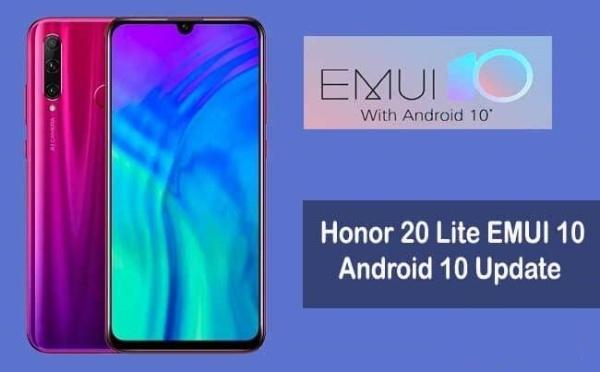

Honor 20 Lite is the international version of the Honor 10i smartphone. However, its shape and size may vary depending on the region and it holds the features of android 9.0, Kirin 710 SoC, Triple rear cameras, 6.2-inch IPS LCD screen and has an 18.7.9 aspect ratio. Huawei Company recently rolled out the update for Honor 20 lite globally and Now Honor 20 Lite is getting an update with firmware version EMUI 10.0.0.171 and with a package size of 3.42 GB size we recommend you to download this package via WI-FI because it cannot be downloaded through mobile data. The company has released the same software for Huawei Y9s and Honor 9X.
This Android 10 update is rolling out through OTA in phase manner and users will see a notification on the screen asking to download and install the new version of the firmware. If you want to update manually you can update with the help of a software application called HiCare.
You may ask what is Android 10 or EMUI 10? It is called an emotion user interface is the mobile operating system based on android which is mostly used on Honor and Huawei devices. It is the latest update of Android and it is the successor of Android 9.0 pie which has the following features such as live caption, smart reply, gesture-based navigation, focus mode, location privacy control, foldable display support, easy security updates, chat bubbles support the system-wide dark theme, improved lock screen, family link, etc. and this also has improved features such as GPU Turbo, Phone Clone and much more.
Features of EMUI 10
- The user interface follows a magazine-style theme with simple looking of content, white space and story highlights.
- Improved setting menu.
- It has two level color schemes with Morandi color one for the top and another for the bottom.
- The apps are more improved like round-shaped with contrast colors.
- The dark theme option saves a lot of battery life and it is safe for the eyes.
- The new fluid motion animation effects give you a nice seamless swiping experience.
- The camera option is updated with more features like styles, icon, effects, font style, toolbar and much more.
How to update your Honor 20 elite with EMUI 10 / Android 10
There are totally 3 ways to upgrade your mobile which requires only minimal knowledge and time because it is a very simple and easy process. Before upgrading follow the below information carefully.
- This manual is suitable for all models of Honor 20 Lite [HRY-LX1T]
- Save sufficient charge on your mobile to avoid unnecessary switch-off while upgrading.
- On the boot loader and the device should not have root access.
- Download and install the HiCare app on mobile.
- A full backup drive and a lot of memory space.
- Use a WI-FI connectivity.
Installation
Below are the three methods of installation. You can choose anyone based on your requirements and needs.
Method 1: via Beta Flashy v0.2
Step 1: Go to Beta Flashy v0.2 then download it and click on EMUI 10 and install it on your PC.
Step 2: Download the firmware and extract it inside the same area.
Step 3: Enable OEM unlocking, open the flashy tool and run the Flash.bat file.
Step 4: This will flash the Android 10 on your device
Step 5: Reboot the mobile and then restart it
Now you can enjoy Android 10 EMUI on your device
Method 2: Update via Settings.
It is the simplest step to update your device to EMUI 10.
STEP 1: Go to settings.
Step 2: click system.
Step 3: click software update.
Step 4: press “check for updates”.
Step 5: press the button “download and install”.
That's all firmware will be automatically downloaded and installed on your device reboot the device and enjoy the latest firmware.
Method 3:
This method uses the HiCare application for upgrade.
Step 1: Install and open the HiCare app.
Step 2: login with your Huawei ID and click agree on “permission and user agreement”.
Step 3: select service section and click on the update icon
Step 4: then click request update and press Apply
Step 5: HiCare app will show you an EMUI 10 update and click “Download and install”.
Step 6: After the installation reboot the device
Then the latest firmware will be installed.
These are the three methods to install the latest EMUI 10.
Repair My phone is providing Huawei screen replacement services.Get it Now