
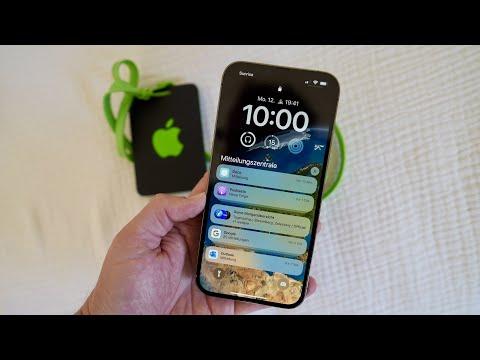

How to fix the most common iPhone 16 issues
Fix common iPhone problems that cause frustration and can interrupt your daily routine. This article will teach you about the specific problems that affect popular iPhone 16 models. Learn the causes and solutions to common device issues to ensure you avoid expensive repairs while keeping your device functioning at peak performance.Repair My Phone Today explain the most common iPhone 16 issues in this article..
Apple's latest iPhone 16 lineup boasts exciting new features..
Apple has abandoned its trend of artificially restricting features such as Dynamic Island and Action Button only to Pro models. They then brought them to standard models a year later. This year's highlight feature for all four iPhone 16 models is Camera Control; however, certain exclusive features are exclusive to iPhone 16 Pro/Max such as 120Hz ProMotion Display, 5x Telephoto Lens and more.
Unresponsive touchscreen
Unresponsive touchscreens were one of the most common complaints we heard from customers when they received their new iPhone 16 units in September. The theories on why this happened ranged from problems related to the new Camera Control, to slimmer bezels that caused skin to touch the edges of screen while holding the iPhone, triggering the touch reject algorithm.
Solutions
Update your iPhone with the most recent iOS 18 release. Apple fixed the issue in iOS 18.0.1 and we haven’t heard of any reports since. The new iPhone 16 is likely to ship with iOS 18.0 installed, but updates may not be automatically applied.
Use a case for your iPhone 16 This problem is not experienced by many people when their iPhone 16 is in a case. This makes sense if the problem is being caused by skin contact. The best iPhone 16 cases have raised edges that protect the screen against impacts. They also keep your hands away from the display.
Battery life is poor
Battery life complaints are common after the release of a major iOS update or a new iPhone. First-day upgraders will likely be affected by both since their iPhone 16 ships with iOS 18, an update that they may not have previously installed on their older iPhone. Even if you are upgrading from an iPhone 15 Pro Max that runs the latest version iOS 18, battery performance may be affected for a couple of days.
Solutions
This problem is usually resolved with a little patience. Most new iPhones have a "break-in" period, during which they optimize things and calibrate the battery levels. This could take a few days or even a week. If you are moving data from an old iPhone, the battery drain may be even more severe. The Caches and Indexes are not usually backed up, or transferred. This means that they have to be rebuilt. This takes more time, and uses more power.
Make sure 5G Auto has been enabled in Settings > Mobile > Cellular data > Voice & Data. 5G consumes more energy than 4G/LTE. However, since you don't need it most of the time - especially when your iPhone sits idle - your iPhone will manage this intelligently. It will only turn on the 5G radios if needed.
If you want to save power, reduce your screen brightness. You can confirm this in Settings > Accessibility, Display & Text Size.
The iPhone 16 reboots at random
Some isolated reports have been made by people who've found their iPhones restarting randomly and for no apparent reason. Some people have reported that this happens while their iPhones are charging, wirelessly or not. Others have reported sudden restarts when using their iPhone.
There are two things that could happen that both may seem to be "reboots." When your iPhone screen briefly goes blank and a spinning progress bar appears, but returns after a few moments, this is known as a “springboard restart” and only affects the user interface. A complete reboot usually returns you to the Apple Logo and takes a few minutes before you can use your iPhone. Before you can use Touch ID or Face ID, you'll need to enter your password or passcode.
Both scenarios are annoying. Random full reboots can indicate a hardware problem, while springboard restarts (also known as "resprings") may be the result of corrupt settings or faulty apps. It's common to experience this when restoring your iPhone from an older backup. The cruft in the backups can spread across all of your iPhones and eventually reach an iOS version which isn't able to handle it.
Solutions
You can try to remove and reinstall the app from the App store if you only experience resprings and reboots with specific apps. Cloud-based apps shouldn't cause you to lose any data. However, you may have to sign into the service to reconfigure preferences. You should back up any data that is stored locally by the app.
Force a restart. It is often helpful to do a forced restart. This will help you solve the problem by cleaning up any deeper issues that may be causing the resprings. Forced restarts may seem counter-intuitive if your iPhone reboots on its own. However, they can be helpful in cleaning up data that is not cleaned when the iPhone reboots abruptly without properly shutting down.
Try resetting your global preferences if you experience resprings across several apps. You can reset different categories of settings in the Settings app, under General > Transfer or Reset iPhone > Reset. There's also an option to Reset all Settings to do everything at once. All of these options will not remove data. However, if you reset the network settings or all settings, you will lose any saved Wi-Fi networks.
Even restoring the same backup can solve the issue. It's likely that backups do not include temporary files and caches, which can cause problems. If the problem persists, try setting up your device as a brand new one without restoring any backups. You're probably dealing with a problem in the hardware.
The camera app is lagging or freezing
Early on, we heard a lot of people complaining about the camera app freezing or lagging. This can happen even when you perform basic actions, like taking a picture or zooming in.
It's possible Apple has fixed this problem in iOS 18, or that it was a new phone issue and it settled down after initial break-in.
Solutions
Make sure you are running the most recent iOS 18 release. Apple stated in its iOS 18.0.1 release note that they fixed a problem where the camera "froze when recording 4K Ultra Wide video in macro mode on iPhone 16 Pro models with HDR off." It's not a very specific fix, but perhaps it was the one that fixed that particular issue.
Wait it out if you are already using iOS 18 on a newer iPhone. While iOS performs background optimizations, it's common to experience performance issues.
Camera app opens randomly
New iPhone 16 users have reported that their camera app has suddenly appeared at the most inconvenient times. It could be in the middle of a serious gaming session or sitting in their pocket. In the first instance, this can be a battery drainer and in the second case it could be a distraction. Apple's new Camera Control, which was introduced in this year's iPhone models, is most likely to blame for the issue. The new button is capable of many functions but its primary function is to launch the Camera app or another camera app you choose when fully pressed.
Solutions
Try another case. Your case may be pressing too hard on the camera control button, and accidentally activating it. The majority of iPhone 16 cases have the Camera Control built in, but some people may not care about it. It can be tempting to buy a less expensive case.
If you want to launch the Camera app with a double-click, go to Settings > Camera and select Double Click in "Launch Camera." When your iPhone is asleep at the lockscreen, you usually need to click twice to start the camera -- once to wake up your iPhone and again to open the app. But this setting requires two quick presses before the camera will begin to work. The Double Click Speed can be adjusted in the Accessibility section, further down the same screen.
Identifying common problems
It is important that every iPhone user knows how to recognize common problems. Early diagnosis of symptoms can save time and money. Each model has its own unique faults. Knowing what to look out for will help you troubleshoot problems before deciding if you want to try a DIY fix, or seek professional assistance.
When to seek professional help
Sometimes, professional help is needed. This is especially true when you are unable to solve the problem yourself. You may need to seek professional help if you see physical damage to your device, such as a broken screen, or it does not respond to your efforts.
Moreover, persistent software or hardware failures can significantly impact your daily activities. Professional assistance will provide your iPhone with the thorough evaluation it requires. Do not hesitate to consult an expert if you have concerns that may lead to more serious issues or compromise data security.. If you need help in iPhone 16 models or any iPhone repair services click on RMPT.
If you have tried the advice above and your phone is still not working, let us look at your phone and get a solution for iphone repair We have 4 stores Walk in to a local store or mail in your device for a free estimate.
1. Repair My Phone Today
25 Market Square, Bicester OX26 6AD, United Kingdom
2. Repair My Phone Today
7 New Inn Hall Street, Oxford OX1 2DH, United Kingdom
3. Repair My Phone Today
99 St Aldates, Oxford OX1 1BT, United Kingdom
4. Repair My Phone Today
207 Banbury Road, Oxford OX2 7HQ, United Kingdom