
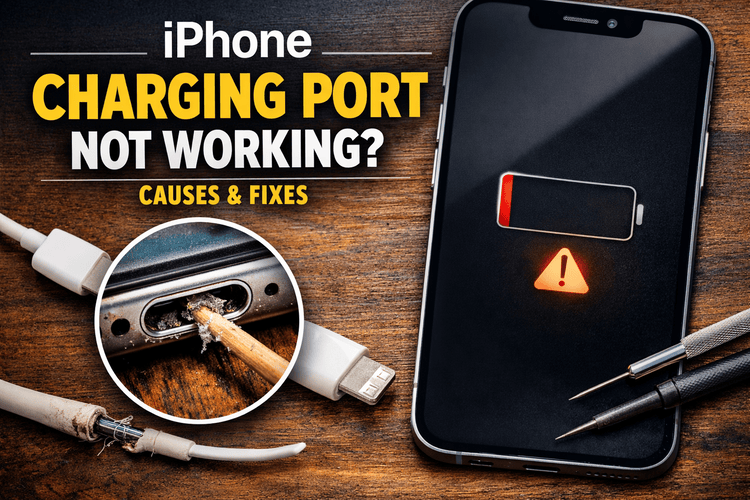

You plug your iPhone into the charger like you always do… but nothing happens. No charging sound. No battery icon. No response at all. Maybe you wiggle the cable a little and suddenly it starts charging — only to stop again after a few seconds.
If this sounds familiar, you’re definitely not alone.
Charging port problems are one of the most common issues iPhone users face. It doesn’t matter whether your phone is brand new or a few years old — daily use, dust, accidental drops, and even tiny moisture exposure can slowly create charging problems.
The good news? Not every charging issue means your phone is seriously damaged. In many cases, the fix is surprisingly simple and can be done at home in just a few minutes.
In this blog, we’ll go through real causes of iPhone charging port problems, practical fixes you can try safely, and clear signs that it’s time to get professional repair.
How to Know If Your iPhone Charging Port Is the Problem
Sometimes the issue isn’t obvious straight away. Charging problems can start gradually and become worse over time.
Here are some signs that usually point toward a charging port issue:
- Your phone only charges when the cable is held at a certain angle
- The charging cable feels loose or slips out easily
- Charging keeps connecting and disconnecting
- The phone charges very slowly
- Your iPhone doesn’t connect to a computer
- You can see dust or dirt inside the port
- The phone gets unusually warm while charging
If you’ve noticed any of these things recently, your charging port likely needs attention.
Most Common Reasons Why iPhone Charging Ports Stop Working
Dust and Lint Build-Up (The Biggest Culprit)
This is something many people underestimate.
Every time you put your phone in your pocket, tiny lint particles enter the charging port. Over weeks or months, this builds up and forms a compact layer that blocks the charging cable from sitting properly.
Even if the port looks clean from outside, debris inside can stop proper electrical contact.
Many charging issues are fixed simply by cleaning the port — no repair needed.
Faulty or Low-Quality Charging Cable
It’s easy to assume the phone is the problem, but often the cable is to blame.
Charging cables go through constant bending, pulling, and twisting. Over time, internal wires weaken or connector pins get damaged.
Using cheap or non-certified chargers can also cause unstable charging or overheating.
Before worrying about the charging port, always test your phone with another good-quality cable.
Moisture or Liquid Exposure
Water damage doesn’t always mean dropping your phone in water.
Humidity, sweat, light rain, or even using your phone in the bathroom can slowly introduce moisture into the charging port.
This can lead to corrosion on the internal metal connectors.
Modern iPhones may even show a “Liquid Detected” message when charging is attempted.
Ignoring this warning and forcing charging can cause more serious damage.
Physical Damage After a Drop
A fall from even a short height can affect internal components.
The charging port assembly inside the phone can shift slightly, making it harder for the cable to connect properly.
This often results in charging working only when the cable is pushed or held in a certain direction.
Sometimes there are no visible external cracks, which makes this issue harder to identify.
Software Glitches or System Bugs
Not all charging problems are hardware-related.
Occasionally, an iOS update or minor system glitch can affect charging recognition. The phone might be charging but not showing it properly, or it may stop detecting the cable altogether.
This is rare, but it does happen — especially after updates.
Natural Wear and Tear Over Time
Charging ports don’t last forever.
If you’ve been using the same iPhone for several years, the tiny metal contact points inside the port can wear out due to constant plugging and unplugging.
This type of damage develops gradually and eventually leads to unreliable charging.
Simple Fixes You Can Try at Home First
Before you decide to get your phone repaired, it’s always worth trying a few safe solutions.
Clean the Charging Port Gently
This is the first and most effective step.
Switch off your phone and use a flashlight to look inside the charging port. If you notice compact dust or lint, carefully remove it using a wooden toothpick or plastic pick.
Move slowly and avoid applying pressure.
Once cleaned, try charging again. Many users are surprised to see their phone charging perfectly after this.
Avoid using metal objects or blowing air from your mouth, as moisture can make things worse.
Try a Different Charger
Use an original or certified charging cable and adapter.
If the phone charges normally with another charger, you’ve already found the problem.
Cheap accessories can sometimes damage the charging port over time, so investing in quality cables is always worth it.
Restart or Force Restart the Phone
A quick restart can fix temporary software bugs.
If the issue continues, try a force restart. This refreshes system processes and sometimes restores charging detection.
Check for Software Updates
Sometimes charging-related bugs are fixed in new iOS versions.
Go to your settings and check if an update is available. Installing the latest version can resolve hidden issues.
Let the Phone Dry if Moisture Is Suspected
If your phone recently came into contact with water or shows a liquid alert, avoid charging it immediately.
Keep it in a dry, ventilated area and give it time to air dry naturally.
Using rice is a popular myth — it doesn’t effectively remove internal moisture and may even introduce more dust.
When Home Fixes Don’t Solve the Problem
If your iPhone still refuses to charge after cleaning and testing different chargers, the charging port may be:
- Internally damaged
- Corroded due to moisture
- Electrically faulty
- Completely worn out
At this stage, getting professional repair becomes the safest option.
What Happens During Charging Port Repair
A technician will usually open the device and inspect the charging assembly.
They may clean internal corrosion using specialised tools, realign connectors, or replace the entire charging port module.
After replacement, they test charging speed, cable fit, and data connectivity to ensure everything works properly.
In most cases, this repair can be completed the same day.
Also Read: The most common iPhone 16 problems (and how to fix them)
How Much Does iPhone Charging Port Repair Cost?
Repair costs depend on the iPhone model and level of damage.
Older models are usually cheaper to repair, while newer ones may cost more due to complex internal design.
On average, charging port repair in the UK can range from around £40 for older phones to £120 or more for newer models.
If motherboard damage is involved, costs may increase.
How to Avoid Charging Port Problems in the Future
A few small habits can prevent major issues later.
Try to clean your charging port every few weeks, especially if you keep your phone in pockets often.
Avoid forcing the cable into the port or using the phone heavily while charging.
Keeping your device away from moisture and using good-quality accessories can also extend the life of your charging port.
Some users even use small dust plugs for extra protection.
Can Wireless Charging Help?
If your iPhone supports wireless charging, it can be used as a temporary solution.
It allows you to continue using the phone while deciding whether to repair the port.
However, wireless charging is generally slower and may cause slight heating during long sessions.
It’s helpful in emergencies but shouldn’t replace proper repair if the charging port is damaged.
Conclusion
Charging port issues can feel stressful, especially when your phone is your main tool for work, communication, and daily life.
But the reality is that many charging problems are minor and fixable.
Start with the basics — clean the port, test another charger, and rule out software issues. If the problem continues, professional repair from Repair My Phone Today can quickly restore normal charging and prevent further damage.
Taking care of your charging habits today can save you unexpected repair costs tomorrow.
FAQs Related To iPhone Charging Port Problem:
Why did my iPhone suddenly stop charging?
Sudden charging problems are often caused by dust blockage, cable failure, moisture exposure, or minor software glitches.
Can I clean my iPhone charging port myself?
Yes, you can safely clean it using a wooden toothpick or soft brush, as long as the phone is switched off.
How long does charging port repair take?
Most repairs are completed within one to three hours depending on the phone model and damage level.
Is it safe to keep using a phone with a faulty charging port?
It’s not recommended, as unreliable charging can lead to battery damage or sudden shutdowns.
Will Apple replace the charging port or the whole phone?
This depends on warranty status and damage type. In many third-party repair centres, only the charging port module is replaced.
Can fake chargers damage my charging port?
Yes, low-quality chargers can overheat and weaken charging connectors over time.
Does wireless charging fix charging port issues?
Wireless charging doesn’t fix the issue but can help you use the phone temporarily.